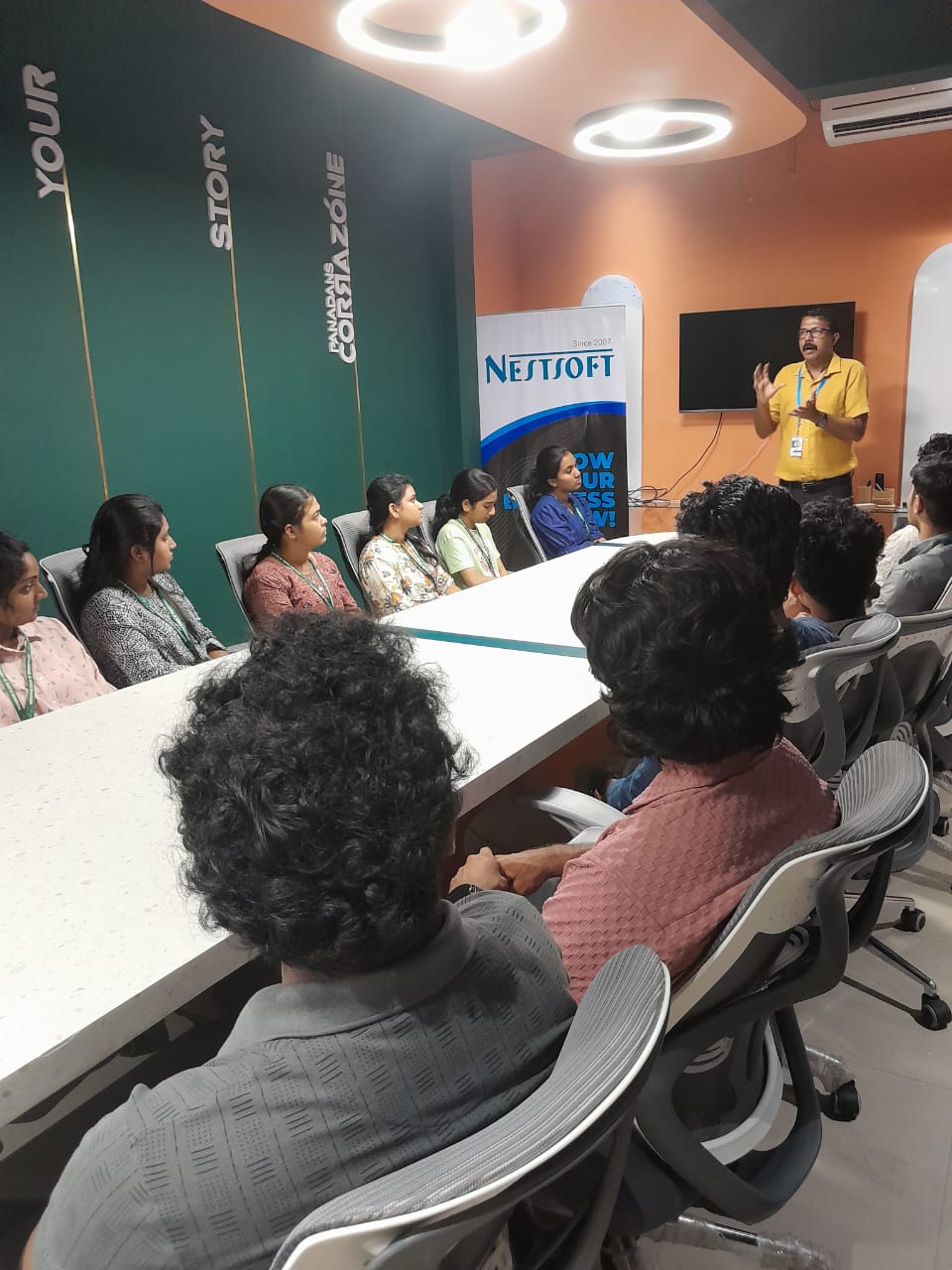
Bootstrap Online Live Class by Experts
Our Training/Internship Process

Bootstrap - Syllabus, Fees & Duration
MODULE 1
- Bootstrap
- Get Started
- What is Bootstrap?
- Bootstrap History
- Why Use Bootstrap?
- Where to get Bootstrap?
- Downloading Bootstrap
- Bootstrap CDN
MODULE 2
- Create First Web Page with Bootstrap
- Add the HTML5 Doctype
- Bootstrap is Mobile First
- Containers
- Basic Bootstrap Pages
- Bootstrap Grids
- Bootstrap Grid System
- Grid Classes
- Basic Structure of a Bootstrap Grid
- Equal Columns
- Unequal Columns
MODULE 3
- Bootstrap Text / Typography
- Bootstrap Default Settings
- Bootstrap vs. Browser Defaults
- Bootstrap Tag Elements
- Contextual Colors and
- Background
- Typography Classes
MODULE 4
- Bootstrap Table
- Rounded Corners
- Circle
- Thumbnail
- Responsive Images
- Image Gallery
- Responsive Embeds
MODULE 5
- Bootstrap Jumbotron and Page Header
- Creating a Jumbotron
- Jumbotron inside Container
- Jumbotron outside Container
- Creating a Page Header
MODULE 6
- Bootstrap Wells
- Wells
- Well Size
MODULE 7
- Bootstrap Alerts
- Alerts
- Closing Alerts
- Animated Alerts
MODULE 8
- Bootstrap Buttons
- Button Style
- Button Sizes
- Block Level Buttons
- Active /Disable Buttons
MODULE 9
MODULE 10
- Bootstrap Glyphicons
- Glyphicons
- Glyphicons Syntax
- Glyphicon Example
MODULE 11
- Bootstrap Badges and Labels
- Badges
- Labels
MODULE 12
- Bootstraps Progress Bars
- Basic Progress Bar
- Progress Bar with Label
- Colored Progress Bars
- Striped Progress Bars
MODULE 13
- Bootstrap Pagination
- Basic Pagination
- Active State
- Disabled State
- Pagination Sizing
MODULE 14
- Bootstrap Pager
- What is Pager?
- Align Buttons
MODULE 15
- Bootstrap List Groups
- Basic list Groups
- List Group with Badges
- List Group with Linked Items
- Contextual Classes
- Custom Content
MODULE 16
- Bootstrap Panels
- Panels
- Panel Heading
- Panel Footer
- Panel Group
- Panel with Contextual Classes
MODULE 17
- Bootstrap Dropdowns
- Basic Dropdown
- Dropdown Driver
- Dropdown Header
- Disable an Item
- Dropdown Accessibility
- Bootstrap Collapse
MODULE 18
- Basic Collapsible
- Example Explained
- Collapsible Panel
- Collapsible List Group
- Accordion
MODULE 19
- Bootstrap Tabs and Pills Menus
- Tabs
- Tabs with Dropdown Menu
- Pills
- Vertical Pills
- Vertical Pills in Row
- Pills with Dropdown Menu
- Centered Tabs and Pills
- Toggle/Dynamic Tabs
- Toggle/Dynamic Pills
MODULE 20
- Bootstrap Navigation Bar
- Navigation Bars
- Inverted Navigation Bar
- Fixed Navigation Bar
- Navigation Bars with Dropdown
- Right Aligned Navigation Bar
- Collapsing the Navigation Bar
MODULE 21
- Bootstrap Forms
- Bootstrap Default Settings
- Bootstrap Form Layouts
- Bootstrap Vertical Form
- Bootstrap Inline Form
- Bootstrap Horizontal Form
- Bootstrap Form Inputs
- Supported Form Controls
MODULE 22
- Bootstrap Input
- Bootstrap Text area
- Bootstrap Checkboxes
- Bootstrap Radio Buttons
- Bootstrap Select List
MODULE 23
- Bootstrap Form Inputs (More)
- Static Control
- Bootstrap Form Control States
MODULE 24
- Bootstrap Input Sizing
- Input Sizing in Forms
- Height Sizing
- Column Sizing
- Help Text
MODULE 25
- Bootstrap Carousel Plugin
- The Carousel Plugin
- How to Create a Carousel
- Add Captions to Slides
MODULE 26
- Bootstrap Model Plugin
- The Model Plugin
- Hoe to Create a Model
- Model Size
MODULE 27
- Bootstrap Tooltip Plugin
- The Tooltip Plugin
- How to Create Tooltip
- Positioning Tooltips
MODULE 28
- Bootstrap Popover Plugin
- The Popover Plugin
- How to Create a Popover
- Positioning Popovers
- Closing Popovers
MODULE 29
- Bootstrap Scrollspy Plugin (Advanced)
- The Scrollspy Plugin
- How to Create a Scrollspy
- Scrollspy Vertical Menu
MODULE 30
- Bootstrap Case
- Build a Bootstrap Web Page
- From Scratch
- Add Bootstrap CDN and Put
- Elements in Containers
- Add Jumbotron
- Adding button and icons
- Multicolumn Layout
- Adding Menus Tabs
- Adding Navigation bars
This syllabus is not final and can be customized as per needs/updates
- Since 2001, Making IT Experts by Experts
- Duration: 10 Hours (Vary as per your skill)
- Course Fees
- Individual Live Classes (1:1)
- Batch Classes @ Low Fees
- Training on Your Time, Any Where
- Access to Recorded Videos
- Practical Internship on Projects
- 100% Placement Support by our jobsNEAR.in
- Training/Internship Certificate
- Agra
- Ahmedabad
- Alappuzha
- Aurangabad
- Bangalore
- Belgaum
- Bellary
- Bhubaneswar
- Chennai
- Cochin
- Coimbatore
- Delhi
- Dindigul
- Erode
- Gulbarga
- Guntur
- Gurgaon
- Haryana
- Hyderabad
- Idukki
- Indore
- Jaipur
- Kalyan
- Kannur
- Kanpur
- Kasaragod
- Kerala
- Kolkata
- Kollam
- Kottayam
- Kozhikode
- Lucknow
- Madurai
- Malappuram
- Mangaluru
- Mumbai
- Mysuru
- Nagpur
- Nashik
- Navi Mumbai
- Nizamabad
- Noida
- Palakkad
- Pathanamthitta
- Pune
- Punjab
- Salem
- Shimla
- Solapur
- Surat
- Thane
- Thanjavur
- Thirunelveli
- Thoothukudi
- Thrissur
- Tiruchirappalli
- Tiruppur
- Trivandrum
- Vadodara
- Varanasi
- Vellore
- Vijayawada
- Visakhapatnam
- Wayanad
Course Highlights

Our Locations

 If you have any problems or queries about Bootstrap after the co, please do not hesitate to contact us. This hands-on, instructor-led, classroom-based Bootstrap course in Kannur is small. No prior knowledge of Bootstrap is necessary. Mark Otto and Jacob Thornton (both of Twitter, Inc. Bootstrap is a front-end framework that uses CSS and HTML to create bespoke designs. This Bootstrap course focuses on business-related innovations. These projects can assist you in building your Bootstrap portfolio. Included are how-to columns within the grid, as well as the primary elements of Bootstrap, where you will learn about the Typography of Bootstrap. It's a broad framework that only worries about front-end applications, such as topography, forms, interface components, and JavaScript plugins.
This Kannur course teaches you how to use Bootstrap to create responsive web siteswebsitesl be able to create Bootstrap-based websites after completing the NESTSOFT Bootstrap course.
If you have any problems or queries about Bootstrap after the co, please do not hesitate to contact us. This hands-on, instructor-led, classroom-based Bootstrap course in Kannur is small. No prior knowledge of Bootstrap is necessary. Mark Otto and Jacob Thornton (both of Twitter, Inc. Bootstrap is a front-end framework that uses CSS and HTML to create bespoke designs. This Bootstrap course focuses on business-related innovations. These projects can assist you in building your Bootstrap portfolio. Included are how-to columns within the grid, as well as the primary elements of Bootstrap, where you will learn about the Typography of Bootstrap. It's a broad framework that only worries about front-end applications, such as topography, forms, interface components, and JavaScript plugins.
This Kannur course teaches you how to use Bootstrap to create responsive web siteswebsitesl be able to create Bootstrap-based websites after completing the NESTSOFT Bootstrap course.