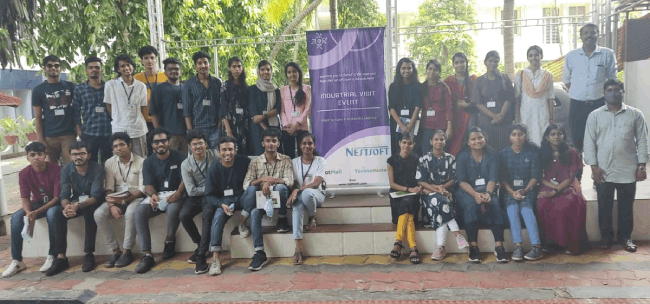
Adobe After Effects Online Live Class by Experts
Our Training/Internship Process

Adobe After Effects - Syllabus, Fees & Duration
MODULE 1: Fundamentals of Motion Graphics
- RGB Color Model
- Frame Size
- Resolution
- Pixel Aspect Ratio
- Alpha Channels
- Frame Rate
- Time Code
- Interpreting Footage
MODULE 2: Getting to Know the Workflow
- How After Effects Works
- Overview of panels
- Creating a project and importing footage
- Creating a composition and arranging layers
- Adding effects and modifying layer properties
- Animating the composition
- Previewing your work
- Optimizing performance in After Effects
- Customizing workspaces
- Controlling the brightness of the user interface
- Finding resources for using After Effects
MODULE 3:Creating a Basic Animation Using Effects and Presets
- Importing footage using Adobe Bridge
- Importing video clips
- Importing stills
- Importing a sequence of stills (interpreting)
- Importing multilayered photoshop and illustrator files
- Creating a new composition
- Applying effects to a layer
- Changing parameters globally
- Creating keyframes
- Keyframe interpolation: auto, continuous, and Bezier interpolation
- Temporal and spatial Interpolation
- Roving in time for spatial properties
- Creating and applying an animation preset
- Previewing your work
MODULE 4:Working With Masks
- About masks
- Creating a mask with the Pen tool
- Editing a mask
- Feathering the edges of a mask
- Replacing the content of the mask
- Mask interpolation
- Using masks from Illustrator and Photoshop
- Masks for spatial keyframes
MODULE 5:Animating Text
- About text layers
- Creating and formatting point text vs paragraph text
- Using a text animation preset
- Text on a path
- Animating imported Photoshop text
- Animating text using a path animation preset
- Using a text animators
- Adding properties
- Adding a range selector
- Using a text animator group
MODULE 6: Working with Shape Layers
- Adding a shape layer
- Creating custom shapes
- Creating stars
- Default properties of shape layers
- Add properties
- Creating Groups
- Stack your shapes & properties
- Using Brainstorm to experiment
MODULE 7: Other Effects
- Time remapping
- Motion sketch
- The smoother
- The wiggler
- Auto orient
- Splitting a layer
- Adjustment layers
- The effects and presets panel
MODULE 8: Distorting Objects with the Puppet Tools
- About the Puppet tools
- Adding Deform pins
- Defining areas of overlap
- Stiffening an area
- Animating pin positions
- Recording animation
MODULE 9: Rendering and Output
- Creating templates for the Render Queue
- Exporting using the Render Queue
- Rendering movies with Adobe Media Encoder
MODULE 10: Transfer Controls
- Understanding Layer Blending Modes and how to change those using shortcuts
- Using Track Mattes
- Understanding precomposing and nesting
- Stencil and Silhouette
- Preserve Transparency
This syllabus is not final and can be customized as per needs/updates
- Since 2001, Making IT Experts by Experts
- Duration: 40 Hours (Vary as per your skill)
- Course Fees
- Individual Live Classes (1:1)
- Batch Classes @ Low Fees
- Training on Your Time, Any Where
- Access to Recorded Videos
- Practical Internship on Projects
- 100% Placement Support by our jobsHybrid.com
- Training/Internship Certificate
- Agra
- Ahmedabad
- Alappuzha
- Aurangabad
- Bangalore
- Belgaum
- Bellary
- Bhubaneswar
- Chennai
- Cochin
- Coimbatore
- Delhi
- Dindigul
- Erode
- Gulbarga
- Guntur
- Gurgaon
- Haryana
- Hyderabad
- Idukki
- Indore
- Jaipur
- Kalyan
- Kannur
- Kanpur
- Kasaragod
- Kerala
- Kolkata
- Kollam
- Kottayam
- Kozhikode
- Lucknow
- Madurai
- Malappuram
- Mangaluru
- Mumbai
- Mysuru
- Nagpur
- Nashik
- Navi Mumbai
- Nizamabad
- Noida
- Palakkad
- Pathanamthitta
- Pune
- Punjab
- Salem
- Shimla
- Solapur
- Surat
- Thane
- Thanjavur
- Thirunelveli
- Thoothukudi
- Thrissur
- Tiruchirappalli
- Tiruppur
- Trivandrum
- Vadodara
- Varanasi
- Vellore
- Vijayawada
- Visakhapatnam
- Wayanad
Course Highlights

Our Locations

 to apply effects after the footage has been edited, or to make animation and motion graphics from otherwise static objects this program will be used effectively. After Effects is the most generally used kind of animation in motion graphics. Nestsoft helps you to learn this powerful motion graphics application In hands-on live classes, and thru this you’ll work on various real-world animation projects, consisting of GIFs, ads, title sequences, and logos. Adobe After Effects could be a motion graphics, visual result, and virtual compositing software used withinside the post-production of movie and television productions. the main applications of After Effects are going to be classified into three categories: Animation, Effects, and compositing. one of the most features is it is used for editing graphics inside the video, usually oriented to special effects and animations and it's it has a variety of plugins designed by third parties therefore which might facilitate to cut back work. The Adobe After Effects course Intermediate and Adobe after Effects – High-level training Course is meant for videographers, graphic artists, and animators with basic level Adobe After Effects experience. lots experts use the After-effect tool for animation and video post-production, which allows users to design and deliver knowledgeable motion pix and visual effects for film, TV, video, and web. when completion of the course if you have got any doubt regarding it our experts are forever available for resolution your doubts. In Nestsoft, you'll learn the way to merge text, graphics, and effects on films.